"I had a client who wanted 20 custom social media images," says Sana from Karachi. "Midjourney was too expensive. My debit card kept getting rejected. I was about to give up."
Then Sana found free AI image generators. Within hours, she created stunning images. The client loved them. Today, she uses these free tools for all her design work and has never paid a single rupee for AI art.
Let me be honest with you. I've tried to pay for Midjourney and DALL-E multiple times. Every single time, my Pakistani debit card got rejected. It's frustrating. You have the money. You want the tools. But international payment gateways just don't play nice with Pakistani banks.
After testing dozens of tools and talking to other freelancers, I found something surprising. You don't need to pay. There are amazing free AI image generators that work perfectly in Pakistan. No VPN. No international cards. No monthly subscriptions. Just pure creative power for zero rupees.
In this guide, I'll show you the 5 best free AI image tools I've personally tested on PTCL, Nayatel, and StormFiber. They all work. They're all free. And they can create professional-quality images for your projects.
Quick Comparison: Best Free AI Image Tools for Pakistan
| Platform | Image Quality | Free Credits | Best For |
|---|---|---|---|
| Bing Image Creator | DALL-E 3 level | 100+ per day | Realistic images |
| Leonardo.ai | High quality | 150 per day | Art & characters |
| Playground AI | Very high | 500 per month | Professional designs |
| Ideogram | Excellent text | Unlimited | Text in images |
| Craiyon | Good | Unlimited | Quick sketches |
Why Paid AI Image Tools Are So Hard to Access in Pakistan
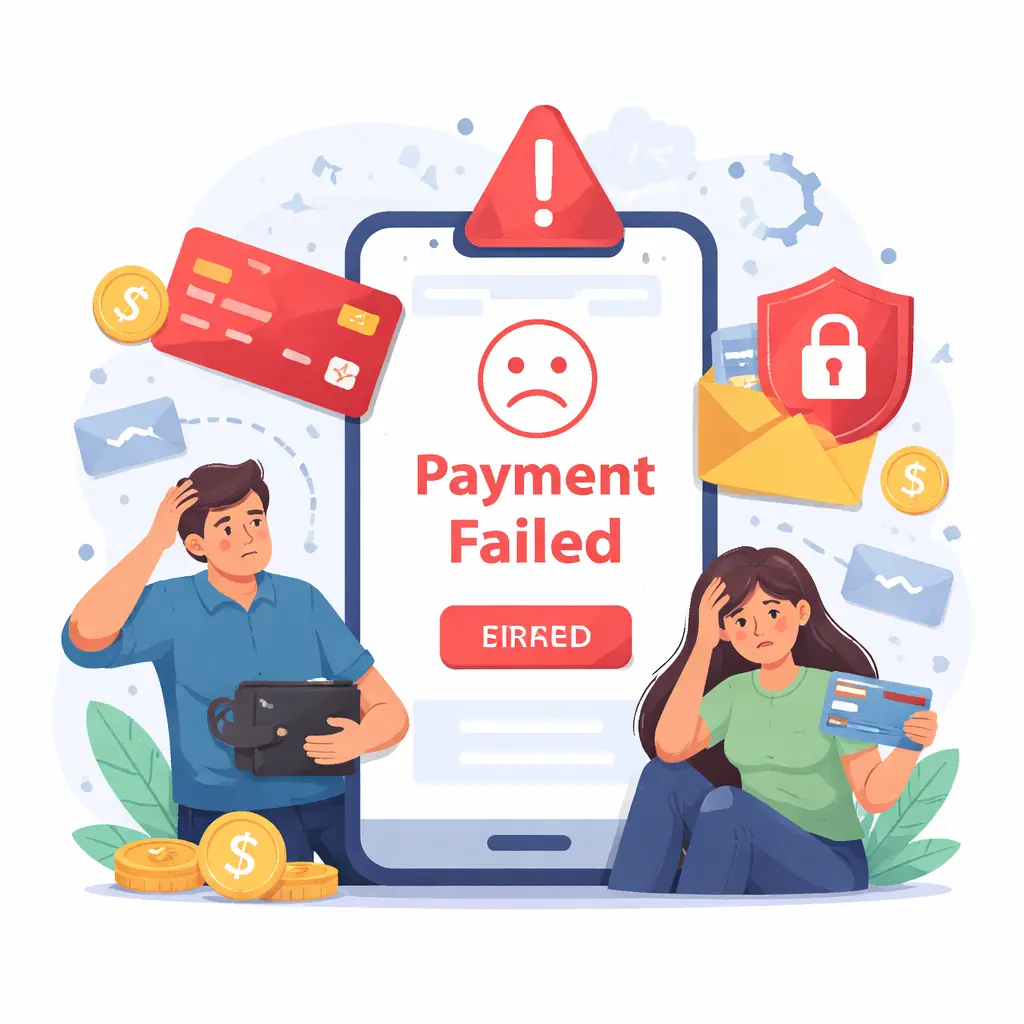
Before I share the free tools, let me explain why paid options are such a headache for Pakistanis. Because once you understand the problem, you'll appreciate the solutions even more.
Problem #1: International payments almost always fail. Midjourney, DALL-E, and other premium tools use international payment processors. Most Pakistani debit cards get rejected instantly. Even Sadapay and Nayapay sometimes fail. You're left staring at an error message with no explanation.
Problem #2: Dollar conversion destroys your budget. $10-20 per month sounds reasonable when you think in dollars. But convert that to Pakistani rupees – that's 2800 to 5600 rupees. For students and starting freelancers, that's real money. Money that could go to internet bills, transport, or food.
Problem #3: VPNs make everything worse. Some people try VPNs to access paid features or bypass regional restrictions. But here's what happens: platforms detect VPNs and block you. Your account gets flagged. You lose access completely. It's a nightmare.
After dealing with these problems myself, I decided to find real solutions. Here are 5 free AI image generators that actually work in Pakistan.
1. Bing Image Creator – Best Overall (Free DALL-E 3)
If I had to recommend just one tool, it would be Bing Image Creator. It runs on DALL-E 3 – the exact same model that powers paid ChatGPT Plus. The results are genuinely stunning. Realistic faces, accurate details, beautiful lighting, professional compositions.
The best part? It's completely free. You get over 100 image generations per day. That's more than enough for most users. I've created hundreds of images for blog posts, social media, client work, and presentations using Bing Image Creator.
What makes it great for Pakistan:
- Works perfectly on PTCL, Nayatel, and StormFiber
- No VPN needed at all
- Microsoft account is free to create (use any email)
- Images are high resolution and downloadable
- Perfect for social media, blogs, thumbnails, and presentations
Pro tip for beginners: Use detailed prompts. Instead of "a cat," try "a fluffy orange cat sitting on a windowsill, golden hour lighting, realistic, high quality, professional photography." The more details you give, the better the results. I learned this after weeks of experimentation.
If you're a student learning new skills, check out our AI tools for students guide for more ways AI can help with your studies.
2. Leonardo.ai – Best for Artists and Character Design
Leonardo.ai is a favorite among digital artists for good reason. It excels at creating characters, fantasy art, game assets, and creative illustrations. The quality is impressive – often matching or exceeding paid tools.
You get 150 free credits every day. Each image generation costs a few credits. That means you can create 30-50 images daily for free. More than enough for most creators and artists.
Leonardo also offers fine-tuning options. You can choose different models depending on your style – anime, realistic, 3D render, cinematic, or concept art. This flexibility is rare in free tools.
Best for: Game assets, character design, fantasy art, book covers, and creative projects.
If you're building a portfolio or working on creative projects, check out our app development guide – AI images can make your apps and websites look incredibly professional.
3. Playground AI – Most Powerful Free Option
Playground AI gives you 500 free image generations per month. That's a lot. But what makes it truly special is the level of control. You can adjust settings like prompt strength, quality, aspect ratio, and even use negative prompts (telling the AI what NOT to include).
The image quality is excellent. Playground uses multiple AI models, including Stable Diffusion and their own custom models. You can create everything from photorealistic images to artistic illustrations to product mockups.
Playground also has a built-in editor. You can modify generated images, erase unwanted parts, add new elements, and even combine multiple images. This kind of editing power is rare in free tools.
Best for: Professional designers, marketers, content creators, and anyone who needs fine control over their images.
For more ways AI can boost your productivity, read our AI study hacks guide – the same principles apply to creative work and design.
4. Ideogram – Best for Adding Text to Images
Here's something most people don't know. Most AI image generators are terrible at text. Ask them to create an image with words, and you'll get gibberish – weird symbols, misspelled words, nonsense letters. Ideogram solves this problem completely.
Ideogram generates clear, readable text inside images. This is huge for creating posters, social media graphics, logos, presentation slides, and YouTube thumbnails. You can generate a beautiful background with your slogan perfectly written on it.
Ideogram offers unlimited free generations. The quality is excellent. And it's surprisingly fast compared to other tools – images generate in seconds, not minutes.
Best for: Social media graphics, posters, flyers, logos, presentations, and any image that needs readable text.
5. Craiyon – Fast and Simple for Beginners
Craiyon (formerly DALL-E Mini) is the simplest tool on this list. You type a prompt, wait 30 seconds, and get 9 images. No accounts. No complicated settings. No credit limits. Nothing to learn.
The quality isn't as good as DALL-E 3 or Leonardo. But for quick sketches, idea generation, or when you need something fast and don't care about perfection, Craiyon works great.
It's completely free with no limits. You can generate as many images as you want, all day long. Perfect for students who just want to experiment with AI art without any barriers.
Best for: Absolute beginners, quick idea generation, unlimited experimentation, and when speed matters more than quality.
If you're learning programming alongside AI art, check out our guide to programming languages – many developers combine coding skills with AI image generation to build amazing projects.
Which Free AI Image Generator Should You Use?
After testing all these tools for weeks, here's my honest advice based on what you actually need:
- For the absolute best quality images: Bing Image Creator (free DALL-E 3 is unbeatable)
- For character art and fantasy illustrations: Leonardo.ai (150 free credits daily)
- For professional control and editing: Playground AI (500 images per month)
- For images that need readable text: Ideogram (unlimited, perfect for posters)
- For beginners and unlimited quick sketches: Craiyon (no account, no limits)
Here's the secret: you don't have to pick just one. I use Bing Image Creator for realistic images, Leonardo for character art, and Ideogram for social media graphics. All free. All work in Pakistan. Mix and match based on what you're creating.
How to Write Prompts That Get Amazing Results
Here's the secret most people never learn. The tool matters, but the prompt matters 10x more. A great prompt on a free tool beats a bad prompt on a paid tool every single time.
Bad prompt (gives generic, boring results): "a beautiful landscape"
Good prompt (gives stunning, professional results): "a misty mountain landscape at sunrise, pine trees in the foreground, soft golden light breaking through clouds, cinematic composition, highly detailed, 8K, professional photography"
Quick tips for writing better prompts:
- Start with the subject: What is the main focus of your image?
- Add specific details: Colors, lighting, mood, time of day, weather
- Specify the art style: Realistic, anime, oil painting, 3D render, cinematic
- Add quality keywords: Highly detailed, 8K, professional, award-winning
- Mention what to avoid: No blur, no watermark, no text, no distortion
Experiment with different prompts. Keep what works, change what doesn't. The more you practice, the better your results will be. I've seen beginners create stunning images after just a week of practice.
Benefits of Using Free AI Image Generators in Pakistan
- 💰 Zero cost: No international payments, no subscription fees, no surprises
- 🇵🇰 Local-friendly: Tested and working on PTCL, Nayatel, StormFiber, and other Pakistani networks
- 🎨 Professional quality: Create images good enough for client work, social media, and portfolios
- ⏱️ Save hours of work: Generate images in seconds instead of spending hours in Photoshop
- 📱 No VPN needed: Access everything directly without workarounds or blocks
- 🎓 Perfect for students: Learn AI art without spending money you don't have
Common Mistakes to Avoid When Using AI Image Generators
After using these tools for months, here are the mistakes I see beginners make over and over:
Mistake #1: Using vague prompts. "A dog" gives you a random dog. "A golden retriever puppy playing in autumn leaves, golden hour lighting, shallow depth of field" gives you something you can actually use.
Mistake #2: Giving up after one bad result. AI generation has randomness built in. Generate multiple times. Adjust your prompt. Try different tools. The first result is rarely the best.
Mistake #3: Not reading the terms of use. Some free tools have restrictions on commercial use. Always check before selling AI-generated images or using them for client work.
Mistake #4: Using AI-generated images without editing. The best creators use AI as a starting point, then touch up images in Canva, Photoshop, or free tools like GIMP. A little editing goes a long way.
Frequently Asked Questions About Free AI Image Generators
Final Thoughts: Start Creating Amazing Images Today
You don't need to pay for Midjourney. You don't need to struggle with DALL-E payments. You don't need to jump through hoops with VPNs and international cards. The free tools available today are incredibly powerful – often matching or exceeding paid options.
I've used Bing Image Creator to create blog headers, social media graphics, YouTube thumbnails, and even client presentations. No one could tell they were free. The quality is genuinely that good.
For students, freelancers, and creators in Pakistan, this is a game-changer. You can now create professional images without spending a single rupee. Start with Bing Image Creator today. Write a detailed prompt. See what you can create. You might be surprised.
The only limit is your imagination. And with these free tools, even your imagination can run wild – without worrying about your wallet.
Ready to explore more? Check out our other tech guides for more ways AI can help you learn, create, and earn.
Back to Blog